
SOC 2 compliance is essential for companies handling sensitive data, such as in healthcare or finance. Traditionally, the process involves manual tasks like gathering screenshots and logs, which are time-consuming and error-prone. Azure simplifies this by automating compliance through tools like Azure Policy, Azure Monitor, and Microsoft Sentinel. These tools enforce security standards, monitor configurations, and generate audit-ready evidence.
Key takeaways:
- Azure Policy: Ensures resources meet compliance standards and auto-remediates issues.
- Azure Monitor: Centralizes logs for tamper-proof audit trails.
- Microsoft Sentinel: Detects threats and provides incident analysis.
- Microsoft Defender for Cloud: Assesses security posture and scans for vulnerabilities.
Elevate your SOC with Azure Logic Apps and Automation
sbb-itb-79ce429
Prerequisites for Automating SOC 2 Reporting
To automate SOC 2 reporting in Azure, you need the right permissions, a well-defined audit scope, and an active Azure subscription. It's also crucial to implement strict access controls and establish clear boundaries.
Azure Subscription and Role Requirements
An active Azure subscription with administrative access is essential for setting up compliance automation. During the initial setup, you'll typically need the Owner role at the subscription level. This role allows you to assign policies, configure diagnostic settings, and enable Microsoft Defender for Cloud. After the setup is complete, day-to-day compliance tasks can be managed using more restricted roles.
For ongoing compliance, roles like Compliance Contributor or custom roles such as SOC 2 Application Operator are ideal. These roles let your team handle assessments and review compliance data without overextending administrative privileges. This approach aligns with the principle of least privilege, a cornerstone of SOC 2 compliance. Microsoft Entra ID (formerly Azure AD) plays a key role in managing identities, enforcing Conditional Access policies, and generating the audit and sign-in logs auditors need to review.
If you're working in a multi-tenant environment, Azure Lighthouse provides centralized monitoring while maintaining strict compliance boundaries between tenants. To prevent data mixing, set up dedicated Log Analytics workspaces for each customer, ensuring proper segregation.
Microsoft takes care of about 60% of SOC 2 controls, such as physical security, patching, and network security. However, you're responsible for areas like application security, data protection, and access management [4].
The next step is defining the scope of your SOC 2 audit to identify which Azure resources are relevant.
Defining Scope for SOC 2 Trust Services Criteria
Once access management is in place, defining the audit scope ensures only the necessary Azure resources are included. This depends on which of the five Trust Services Criteria you’re addressing. While Security is always required, other criteria may include Availability, Processing Integrity, Confidentiality, or Privacy.
In Azure, you can set the scope at the Management Group, Subscription, or Resource Group level. Assign the built-in "SOC 2 Type 2" Regulatory Compliance initiative to your chosen scope via Azure Policy. This initiative maps Azure policies directly to SOC 2 controls, simplifying the process.
Identify which Azure services process sensitive data or support the audited system. Common services include Azure SQL, Key Vault, App Services, and Storage Accounts. Make sure to enable specific log categories for these services. For example:
- Key Vault: Enable AuditEvent logs.
- Storage Accounts: Enable StorageRead, StorageWrite, and StorageDelete logs.
Route these logs to a centralized Log Analytics workspace with at least 90 days of retention. If needed, extend retention to 365 days.
Use Microsoft Purview Compliance Manager to create a SOC 2 assessment and designate in-scope Azure services. Ensure diagnostic settings are activated for all critical resources to route logs correctly. Additionally, enable Microsoft Defender for Cloud to continuously monitor the security posture of your in-scope resources against the Azure Security Benchmark.
Step-by-Step Guide to Automating SOC 2 Reporting
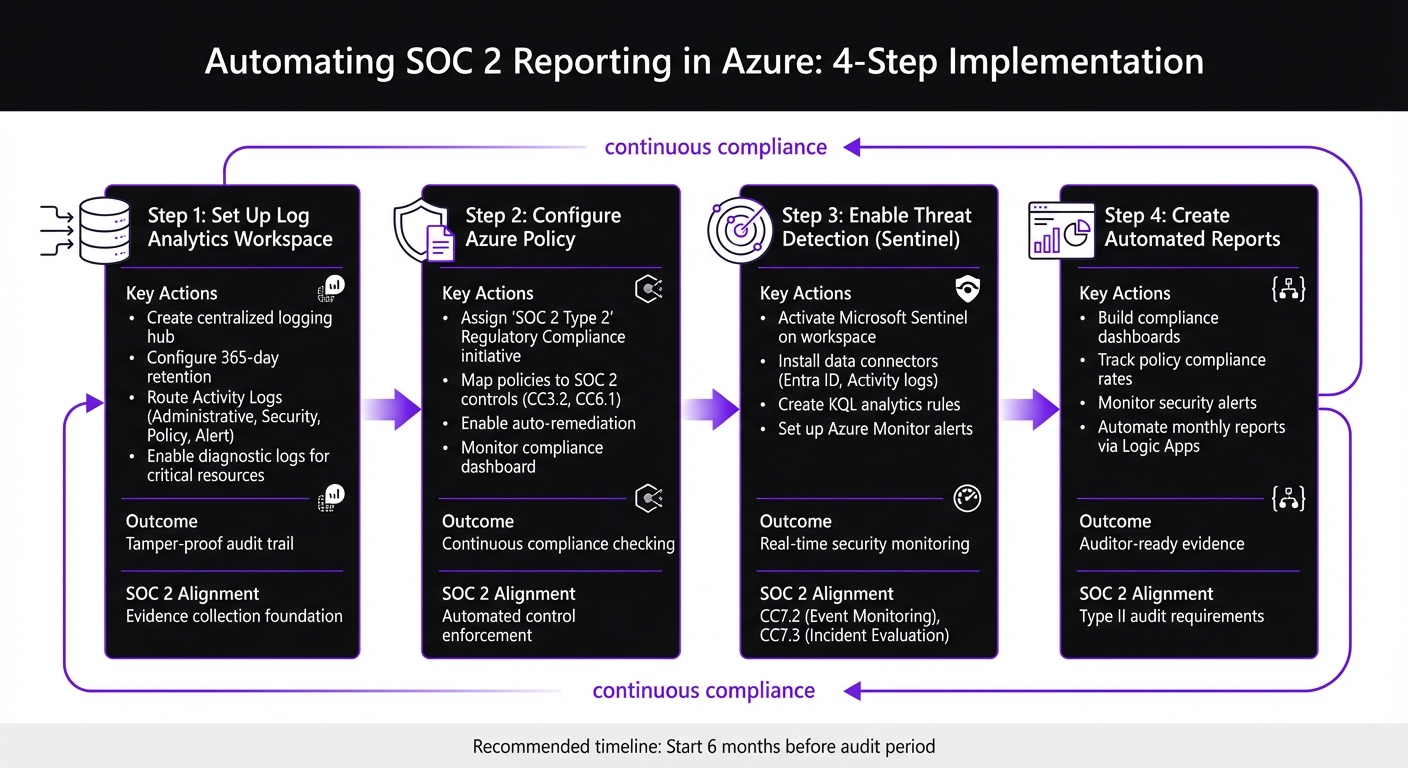
4-Step Process for Automating SOC 2 Reporting in Azure
To start automating your SOC 2 reporting, you’ll need to build a solid automation framework. This includes setting up a centralized logging system, defining compliance policies, enabling threat detection, and creating dashboards for auditors. Each step aligns with specific Trust Services Criteria and generates the evidence auditors expect.
Setting Up a Log Analytics Workspace
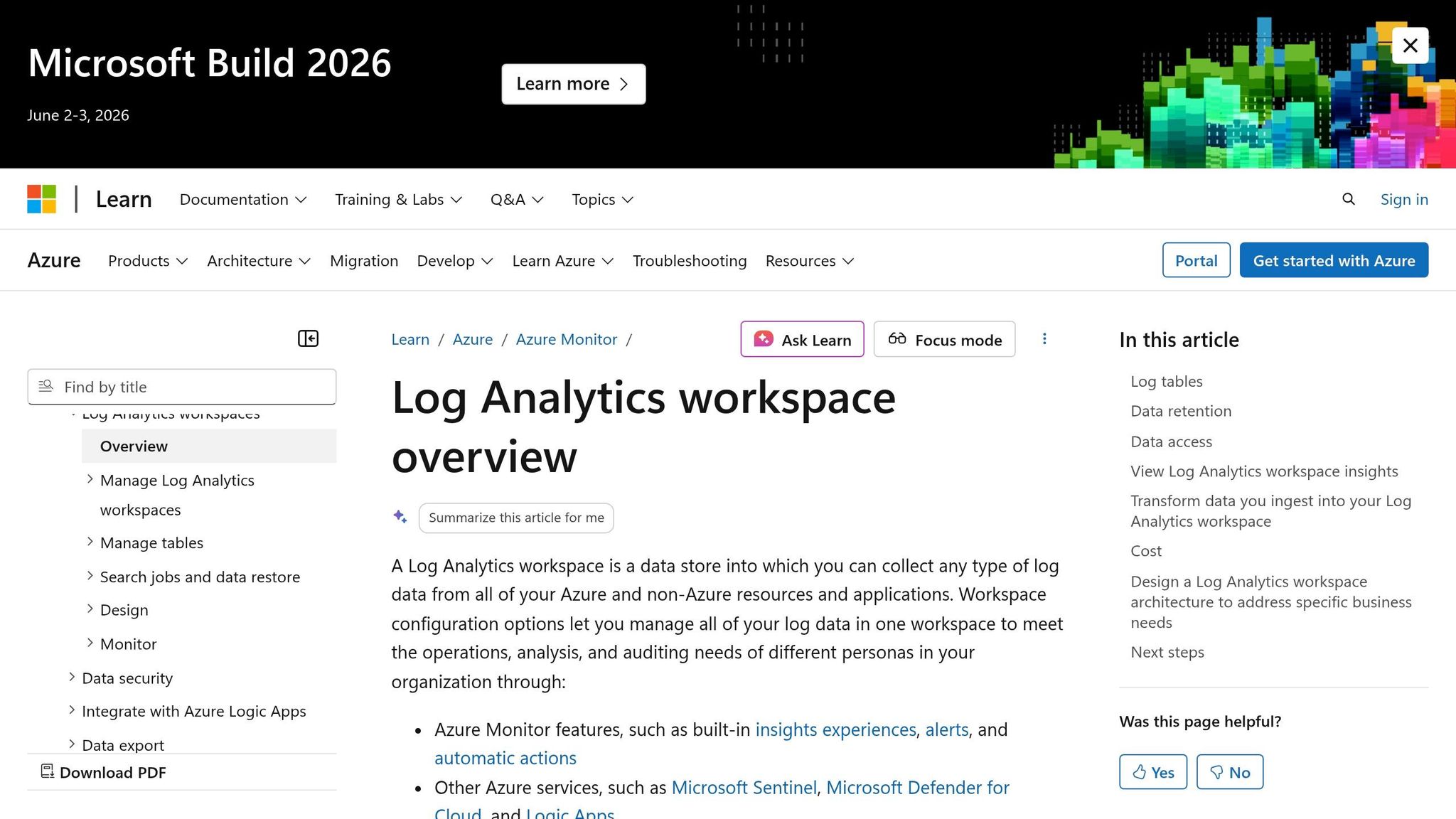
The Log Analytics workspace acts as your SOC 2 logging hub, ensuring logs are secure, tamper-proof, and actively monitored. Auditors rely on this evidence to confirm compliance with SOC 2 standards [2].
Begin by creating the workspace using Azure CLI. This command sets up the foundation for your logging system:
az monitor log-analytics workspace create --resource-group <RG_NAME> --workspace-name <WS_NAME> --location eastus
After that, configure retention settings to meet audit requirements. Azure allows retention periods ranging from 90 to 730 days:
az monitor log-analytics workspace update --resource-group <RG_NAME> --workspace-name <WS_NAME> --retention-time 365
Next, route Activity Logs from your subscription to this workspace using diagnostic settings. These logs capture all Azure Resource Manager (ARM) operations, detailing who performed specific actions and when [2]. Enable essential categories like Administrative, Security, Policy, and Alert:
az monitor diagnostic-settings create --resource <SUBSCRIPTION_ID> --name soc2-activity-logs --workspace <WS_ID> --logs '[{"category":"Administrative","enabled":true},{"category":"Security","enabled":true},{"category":"Policy","enabled":true},{"category":"Alert","enabled":true}]'
For critical resources, enable diagnostic logs tailored to their type. Here’s a quick reference:
| Resource Type | Required Log Categories |
|---|---|
| Key Vault | AuditEvent |
| Storage Accounts | StorageRead, StorageWrite, StorageDelete |
| Azure SQL / PostgreSQL | SQLSecurityAuditEvents, Errors |
| App Service / Functions | AppServiceHTTPLogs, AppServiceConsoleLogs |
| Azure Kubernetes Service | kube-audit, kube-audit-admin |
Finally, route Entra ID (formerly Azure AD) Audit and Sign-in logs to the workspace. This supports CC6 (Logical Access) controls [2]. Auditors can verify your setup using commands like az monitor log-analytics workspace show and az monitor diagnostic-settings list [2].
The next step is configuring policies to streamline compliance management.
Configuring Azure Policy for SOC 2 Compliance
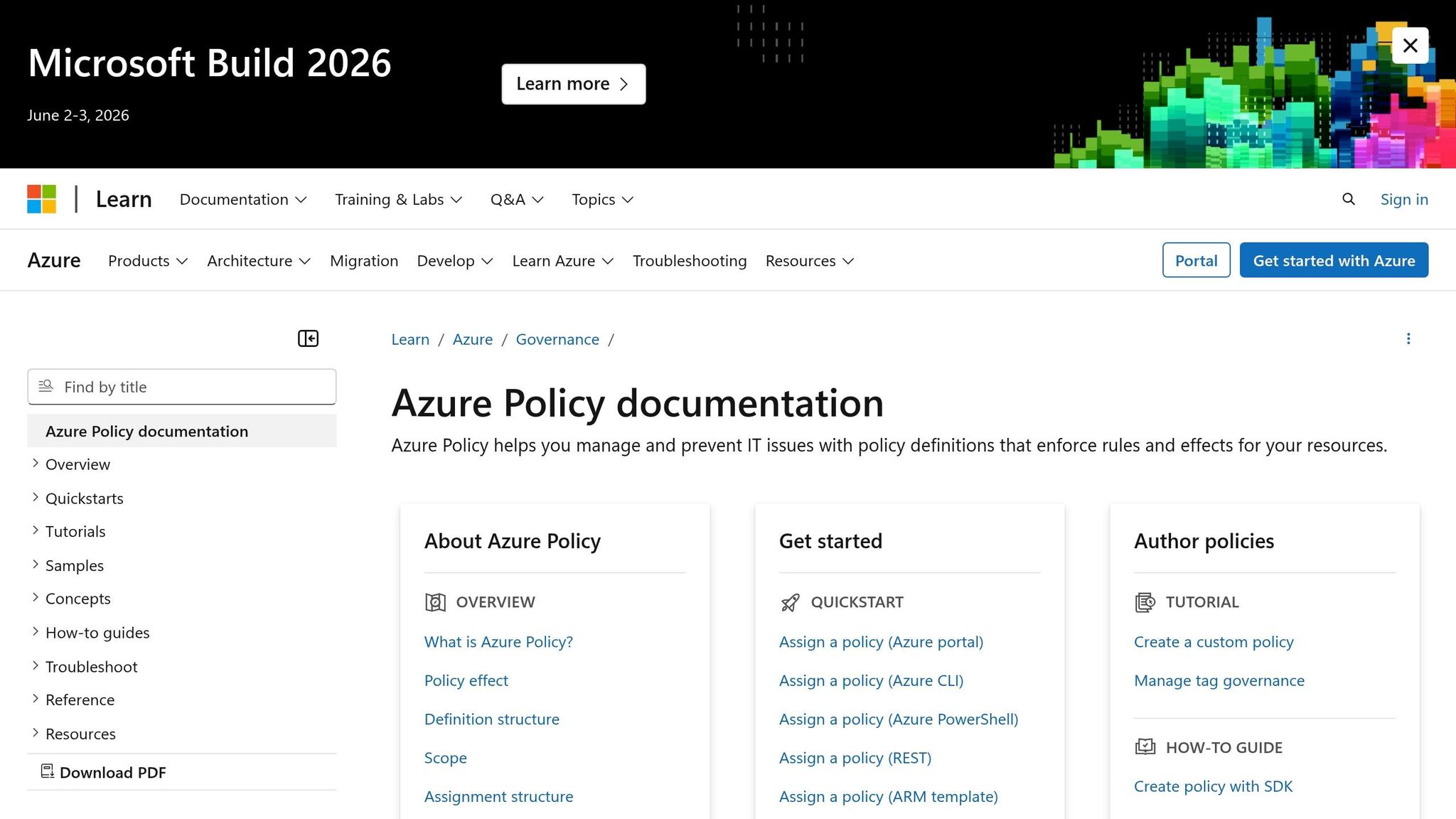
Azure Policy simplifies compliance by continuously checking your resources against SOC 2 requirements. Assign the built-in "SOC 2 Type 2" Regulatory Compliance initiative to your scope - whether that’s a Management Group, Subscription, or Resource Group.
This initiative links Azure policies to specific SOC 2 controls. For example:
- CC3.2 (COSO Principle 7): Ensures vulnerability assessments are enabled on virtual machines.
- CC6.1 (Logical Access Security): Requires App Services to be accessible only via HTTPS.
You can assign this initiative through the Azure Portal or automate the process with CLI commands. Once in place, Azure Policy identifies non-compliant resources and can automatically remediate issues using DeployIfNotExists or Modify effects.
Regularly check the compliance dashboard to track which controls are being met and address any flagged issues. For auditors, export compliance data using:
az policy state list
With policies in place, the next step is integrating threat detection using Microsoft Sentinel.
Collecting Evidence with Azure Monitor and Sentinel
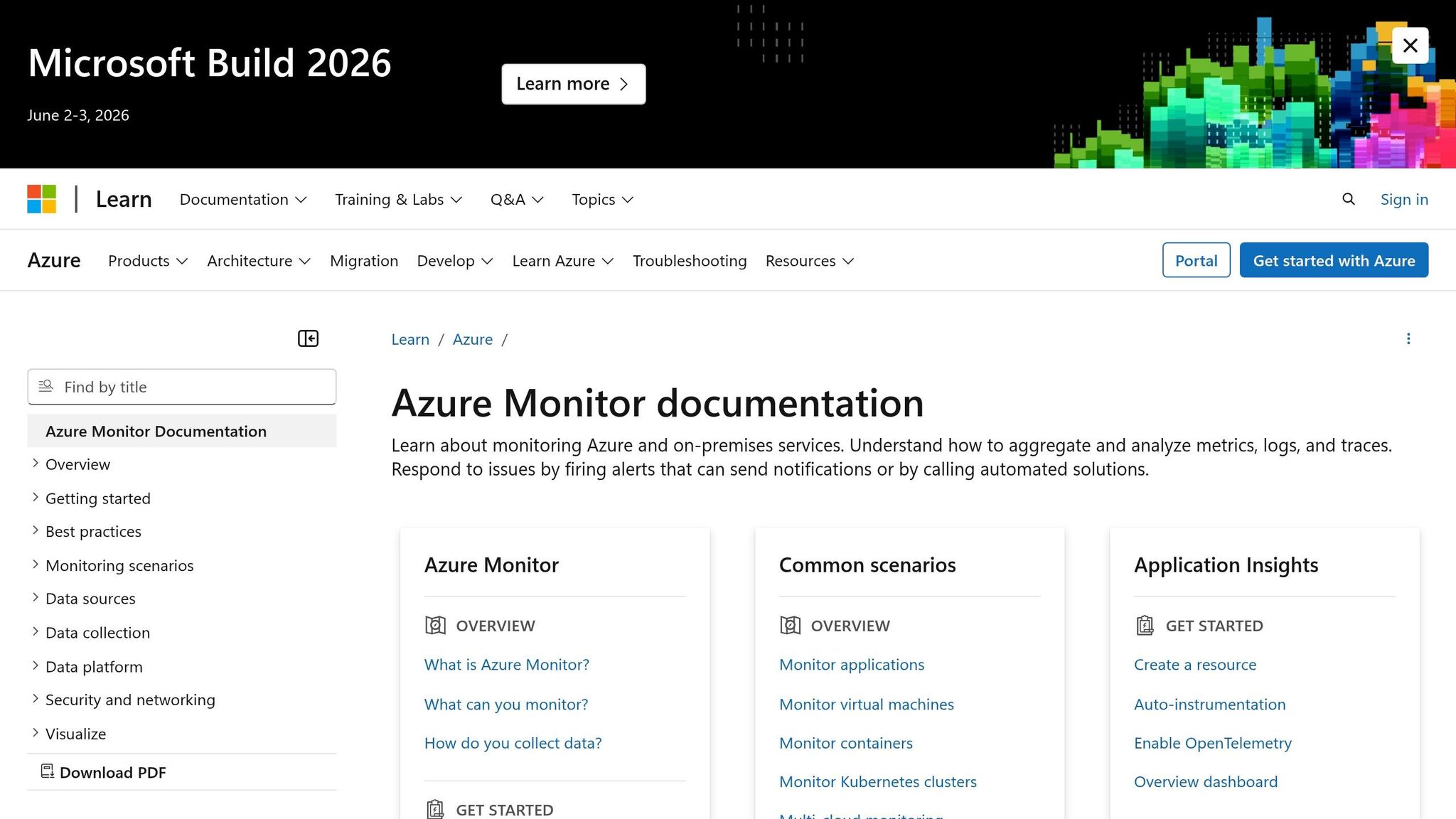
Microsoft Sentinel acts as a cloud-native SIEM, integrating with your Log Analytics workspace. It provides machine learning–based threat detection and tracks incidents for auditing purposes. This supports CC7.2 (Security Event Monitoring) and CC7.3 (Incident Evaluation) [2].
Activate Sentinel on your SOC 2 workspace:
az sentinel workspace create --resource-group <rg-name> --workspace-name <law-name>
Install data connectors for Entra ID and Azure Activity logs to automate identity and control plane event monitoring [2]. Use KQL analytics rules to detect key compliance events. For instance, track Global Administrator role assignments with:
AuditLogs
| where OperationName == "Add member to role"
| where TargetResources[6].displayName == "Global Administrator"
Set up Azure Monitor action groups to route alerts for critical events, such as:
- Privileged role assignments (
Microsoft.Authorization/roleAssignments/write) - Key Vault policy changes (
Microsoft.KeyVault/vaults/accessPolicies/write) - Network security updates (
Microsoft.Network/networkSecurityGroups/write)
Centralized logging ensures tamper protection, meeting SOC 2 auditor requirements [2].
Creating Automated Reports and Dashboards
Dashboards in Azure Monitor allow real-time tracking of compliance metrics, making them invaluable for auditor reviews. Build dashboards that highlight:
- Policy Compliance Rates: Show the percentage of resources meeting standards.
- Recent Security Alerts: Summarize open and resolved incidents from Sentinel.
- Privileged Role Changes: Monitor administrative role updates.
- Failed Sign-ins by Location: Spot unauthorized access attempts.
Use widgets from Azure Policy, Defender for Cloud, and Sentinel to create a comprehensive view. Automate monthly reports with Azure Logic Apps or Power Automate. These workflows can query Log Analytics, compile summaries, and email them to stakeholders.
For Type II audits, retain data for at least 90 days - though 365 days is recommended to cover the full evaluation period [2].
Maintaining Continuous SOC 2 Compliance
Once your automation is in place, the next step is ensuring that you maintain SOC 2 compliance over time. This isn’t a one-and-done task - it requires ongoing monitoring, regular reviews, and periodic updates to policies and processes.
Quarterly Access Reviews and Monthly Vulnerability Scans
SOC 2 CC6 (Logical and Physical Access) emphasizes the importance of verifying that only authorized personnel can access sensitive systems. To meet this requirement, quarterly access reviews are a standard practice [1]. Tools like Microsoft Entra ID (formerly Azure AD) and Privileged Identity Management (PIM) are invaluable for managing and reviewing access permissions across your Azure environment.
For added security, implement Just-In-Time (JIT) access through PIM. This approach grants temporary, auditable administrative privileges [1]. When performing access reviews, you can export results using the Microsoft Graph API to generate JSON evidence for auditors [1]. This aligns seamlessly with the continuous monitoring approach you’ve already established.
On the vulnerability management front, Microsoft Defender for Cloud plays a key role in conducting continuous security assessments, which directly support SOC 2 TSC CC7.1 [2]. Automate monthly vulnerability scans using Defender for Cloud, and export findings with the following command:
az security assessment list
Ensure that all vulnerability alerts and remediation actions are documented and stored in your Log Analytics workspace [2]. As CloudDrove explains, "SOC 2 auditors look for three things in this area: that logs exist, that they are tamper-protected, and that someone is actually watching them" [2].
Updating Policies and Automation Scripts
Even with automation in place, SOC 2 compliance demands regular updates to your policies and scripts to keep up with changing security standards. SOC 2 requires annual reviews of information security policies, with documented management approval for auditors [1][5]. Beyond policy documents, ensure your Azure Policy configurations and automation scripts are updated regularly to reflect any organizational changes.
Using Infrastructure as Code (IaC) tools - such as Terraform, Bicep, or ARM templates - for production infrastructure changes is a smart move. This approach creates a version-controlled audit trail, reducing the risk of manual "portal drift" that could compromise compliance boundaries [5]. Enforce pull-request reviews for all policy and script changes to maintain proper segregation of duties [5].
To streamline evidence collection, schedule scripts to export activity logs and access reviews every 90 days [1][2]. Additionally, set up automated drift detection to monitor for configuration changes in your workspaces and security settings that might otherwise go unnoticed [3].
Working with Expert Services for SOC 2 Automation
Using automated tools is just one piece of the puzzle when it comes to SOC 2 compliance. Expert services can play a crucial role in ensuring your systems are truly production-ready. Building SOC 2 automation in Azure goes beyond setting up policies and dashboards - it’s about designing systems that meet compliance requirements from the start and can be managed effectively by your internal team. While external providers may handle infrastructure-level security, organizations are still responsible for managing key controls like access management and data protection.
AppStream Studio's Production Deployment Services
AppStream Studio specializes in delivering SOC 2-compliant automation using Microsoft's technology stack, including Azure, .NET, C#, Semantic Kernel, and TypeScript. Their approach prioritizes integrating security into the architecture from the very beginning, ensuring compliance not just with SOC 2 but also ISO 27001 and HIPAA standards. By automating audit preparation, they help engineering teams avoid the disruptions that manual processes often create.
Their deployment services focus on smooth transitions, ensuring your team is fully equipped to operate and maintain the automation. They provide training and handoff support, working closely with enterprises that need to modernize complex systems while staying within strict compliance frameworks. AppStream Studio operates on a flat monthly rate tied to a dedicated squad, eliminating unexpected costs like change orders or inflated invoices [6].
SOC 2 Compliance Projects in Healthcare and Financial Services
The impact of these services is evident in real-world projects, particularly in sectors like healthcare and financial services. For healthcare providers, AppStream Studio has implemented agents that automate tasks such as handling prior authorizations, routing referrals, and reconciling clinical documents - replacing manual processes that often involve transferring data between outdated systems and electronic medical records (EMRs) [6].
In financial services and private equity-backed companies, they’ve modernized internal systems while maintaining compliance across intricate organizational structures. Kyle Stoner, CEO of Unreal Estate, shared his experience:
"AppStream didn't just tell us where AI agents could help - they showed us which ones to build first and why. Within weeks we had a clear roadmap that our engineering team could actually execute on" [6].
AppStream Studio’s focus is on delivering functional enterprise software for critical production environments, rather than experimental or short-term projects. Their expertise ensures continuous compliance for organizations operating in highly regulated industries [6].
Conclusion
Automating SOC 2 reporting in Azure requires a strong foundation of centralized logging, continuous monitoring, and proactive alerting. Setting up Log Analytics to retain data for 365 days ensures you have the evidence needed for Type II audits [2].
Active monitoring is just as important as technical configuration. As CloudDrove explains:
"SOC 2 auditors look for three things in this area: that logs exist, that they are tamper-protected, and that someone is actually watching them" [2].
This means leveraging tools like Microsoft Defender for Cloud, Azure Monitor alerts, and Microsoft Sentinel to actively manage and monitor your logs. Routing Azure Activity Logs, Entra ID audit logs, and resource diagnostic logs to a central Log Analytics workspace creates a unified audit trail that satisfies SOC 2 evidence requirements.
Beyond automation, maintaining compliance requires ongoing effort. Regular tasks like quarterly access reviews and annual policy updates ensure your processes stay aligned with evolving security standards. Automating evidence generation with Kusto Query Language (KQL) - such as creating reports on sign-in failures or privileged role changes - further supports your compliance efforts [2].
For industries like healthcare and financial services, working with experts can simplify and strengthen your compliance journey. AppStream Studio, with its experience in SOC 2, HIPAA, and ISO 27001 compliance, helps organizations implement sustainable controls without overcomplicating the process. Starting your implementation at least six months before your audit period allows enough time to gather the evidence needed for Type II reports. These steps help ensure that your compliance approach is both efficient and effective.
FAQs
What SOC 2 evidence can Azure automate for me?
Azure simplifies SOC 2 evidence collection by automating logging and monitoring processes. For instance, it creates tamper-resistant logs, like the Azure Activity Log, which tracks resource management activities. These logs can then be routed to a Log Analytics workspace for long-term retention and monitoring.
On top of that, Azure Policy offers insights into compliance and resource configurations. This helps showcase alignment with SOC 2 controls, such as CC2 (Information Quality) and CC7.2 (Security Event Monitoring), ensuring your systems meet required standards efficiently.
How long should I retain logs for a SOC 2 Type II audit?
For a SOC 2 Type II audit, it's best to keep logs for 6 to 12 months. This retention period ensures you have enough evidence to show consistent control over time. It also highlights your organization's dedication to meeting audit standards.
What’s the minimum Azure setup to start SOC 2 automation?
To get started with SOC 2 automation in Azure, begin by configuring Azure Policy to enforce and evaluate compliance requirements. Pair this with Azure Monitor to handle logging and monitoring activities. Assign specific SOC 2-related Azure Policy initiatives to ensure the right controls are in place. Then, set up logs to route to a Log Analytics workspace for centralized management. Use these compliance insights and logs to create detailed reports. This approach establishes essential controls, ensures tamper-proof logging, and supports continuous compliance monitoring.


