
If you need low-latency, one-way SQL Server-to-Azure sync, transactional replication is still the best fit. If you need two-way sync, Azure SQL Data Sync can do it, but Microsoft has marked it for retirement. And if you can accept minutes or hours of delay, CDC with Azure Data Factory or Synapse is usually the better long-term path.
Here’s the short version:
- Transactional replication: near real-time, ordered, one-way sync
- Azure SQL Data Sync: two-way sync, scheduled, but at-risk for new builds
- CDC + ADF/Synapse: batch or micro-batch loads with more control over data flow
- Managed Instance Link: near real-time sync for migration and DR, not a general sync tool
A few facts stand out fast:
- Azure SQL Database is subscriber-only for transactional replication
- Data Sync uses scheduled intervals, so data is not up to the second
- CDC pipelines usually run in minutes or hours, not seconds
- Managed Instance Link is tied to Azure SQL Managed Instance, not Azure SQL Database
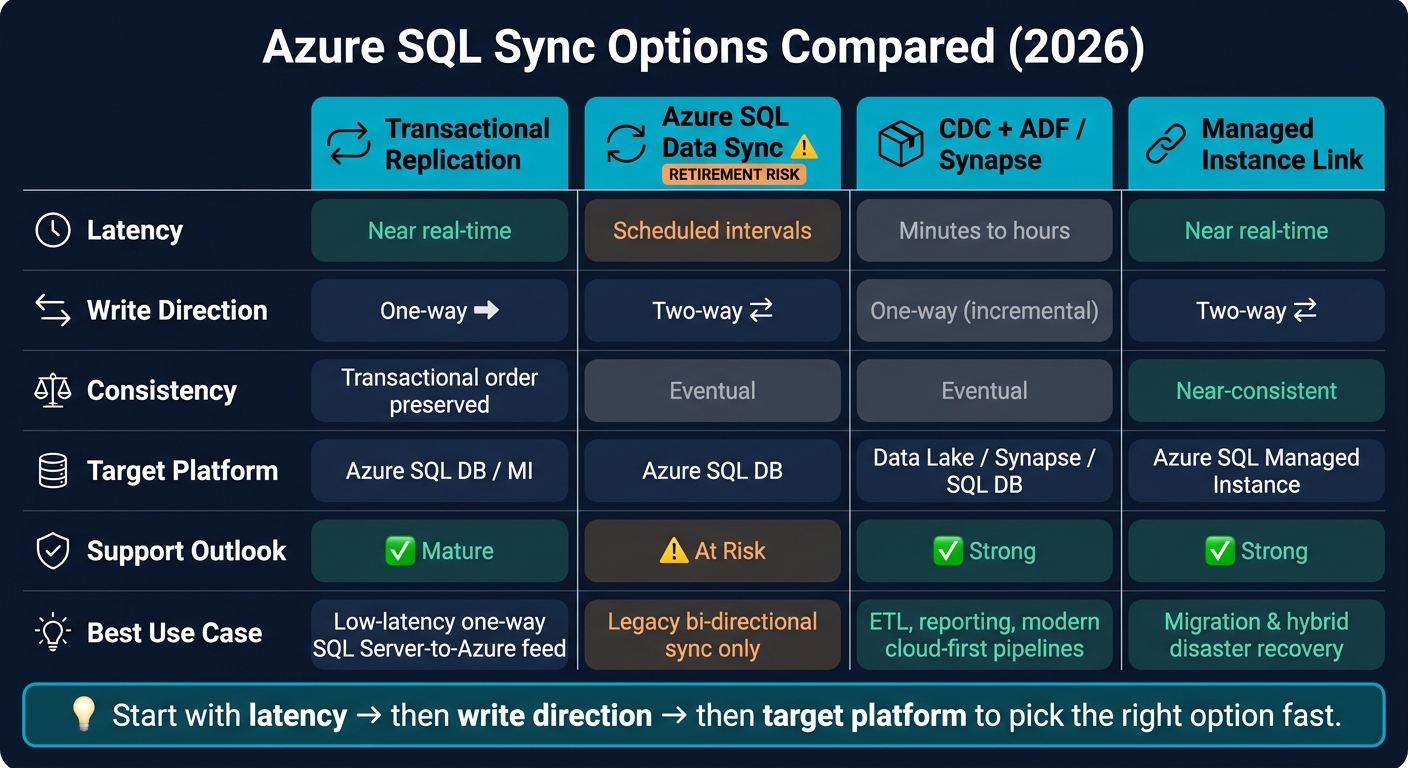
Azure SQL Sync Options Compared: Latency, Direction & Best Use (2026)
Azure SQL DB Data Portability : Mirroring, CDC, Export/Import and DataSync
sbb-itb-79ce429
Quick Comparison
| Option | Latency | Write Direction | Best Use |
|---|---|---|---|
| Transactional Replication | Near real-time | One-way | SQL Server to Azure feed |
| Azure SQL Data Sync | Scheduled | Two-way | Legacy multi-writer sync |
| CDC + ADF/Synapse | Minutes to hours | Usually one-way | ETL, reporting, consolidation |
| Managed Instance Link | Near real-time | Two-way | Migration and hybrid DR |
If I boil the article down to one point, it’s this: pick based on latency, write direction, target platform, and team effort. That framework usually rules out the wrong option fast.
2. Transactional Replication: Where It Works and Where It Falls Short
Transactional replication reads the SQL Server transaction log and sends changes to a subscriber in source order. The result is near-real-time sync with transactional consistency.
Core strengths for hybrid SQL Server to Azure sync
The biggest upside is low impact on the source system. Instead of hitting live tables with queries, replication reads the log. That makes it a strong fit for reporting offload, where you want current data without putting extra load on production.
There are some clear platform rules here. Azure SQL Managed Instance can serve as a publisher and distributor, while Azure SQL Database is subscriber-only. In hybrid SQL Server to Azure setups, that means replication works best as a one-way, source-driven flow, not as a general-purpose sync layer.
If your goal is simple and direct - move changes from the source to Azure fast - transactional replication does that well. It starts to lose steam when you need a more flexible topology or when schema changes happen often.
Operational limits and design tradeoffs
The catch is operational complexity.
Setup takes more work because replication needs a distributor, plus ongoing care for the Log Reader, Snapshot, and Distribution agents. Many DDL changes do replicate, but bigger schema edits can force you to reinitialize the subscription. In a system where schemas change often, that can turn into a real operational headache.
And because Azure SQL Database is subscriber-only, this setup doesn't support write-back to on-premises.
That’s why teams often stack transactional replication up against Data Sync and CDC-based pipelines next.
3. Azure SQL Data Sync and CDC-Based Patterns
When replication feels too rigid, the main alternatives usually give you more flexibility or two-way sync. The catch is latency. In plain English: you get more room to shape the flow of data, but you give up some freshness.
Azure SQL Data Sync: bi-directional sync with retirement risk
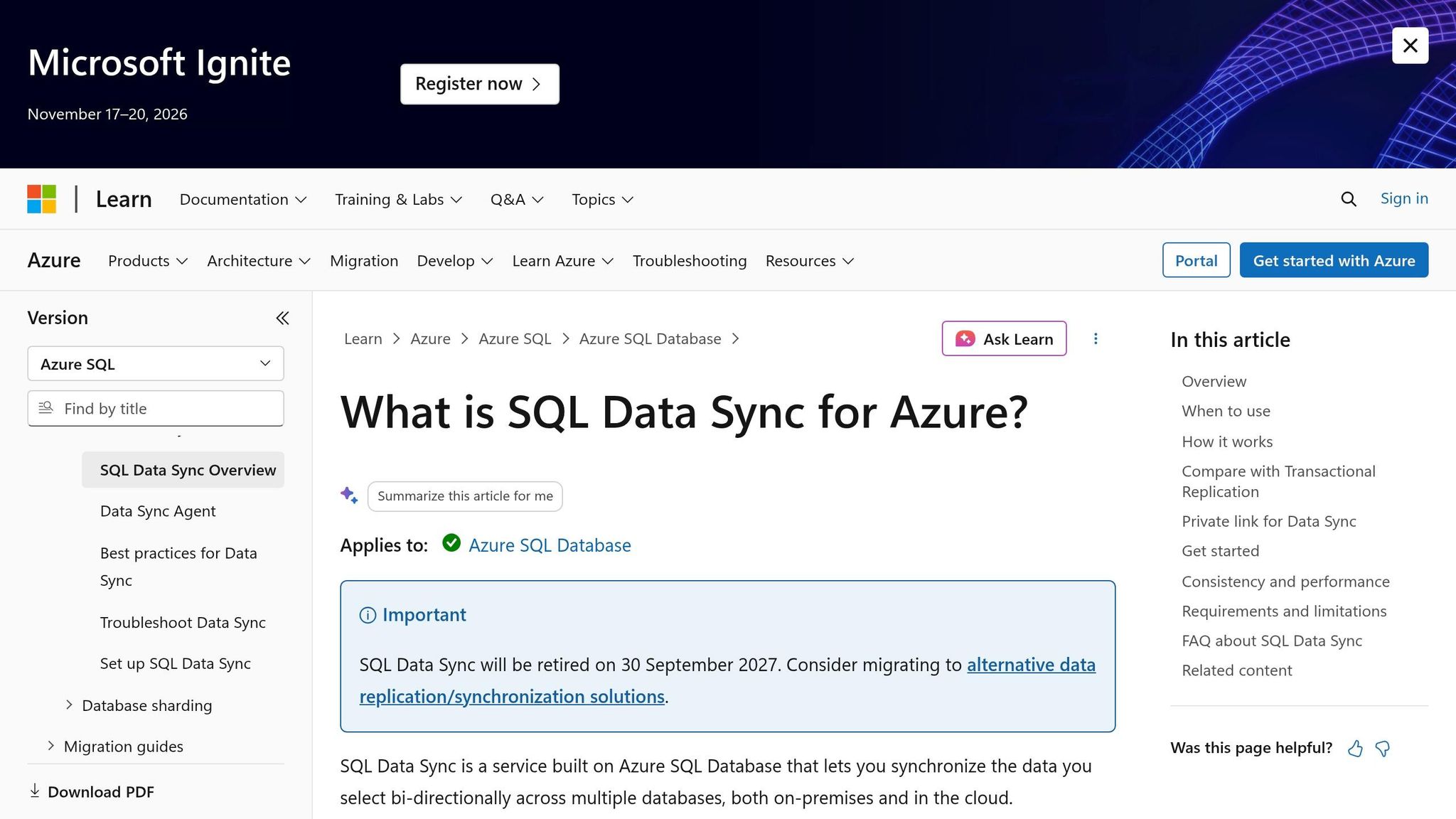
Azure SQL Data Sync uses a hub-and-spoke schedule with built-in conflict handling. It offers eventual consistency, so it only makes sense when up-to-the-minute data matters less than ease of setup. Microsoft has also flagged Data Sync for retirement, which makes it a weak base for new long-term hybrid architectures.
That’s the tradeoff: two-way sync in exchange for durability concerns and a poor long-range fit.
For most new hybrid designs, CDC-based pipelines are the safer long-term path.
CDC and Azure Data Factory: batch and micro-batch synchronization
CDC plus Azure Data Factory works well for teams that can live with minutes or hours of latency. It relies on CDC or change-tracking metadata to find what changed since the last run, and ADF can handle transformations that transactional replication can’t.
These pipelines use incremental, idempotent loads, so if a run fails, you can rerun it cleanly. That makes this pattern a strong match for reporting pipelines, consolidation, and staged modernization. The tradeoff is simple: you get better long-term flexibility, but not fresh, near real-time data.
Managed Instance link and related hybrid patterns
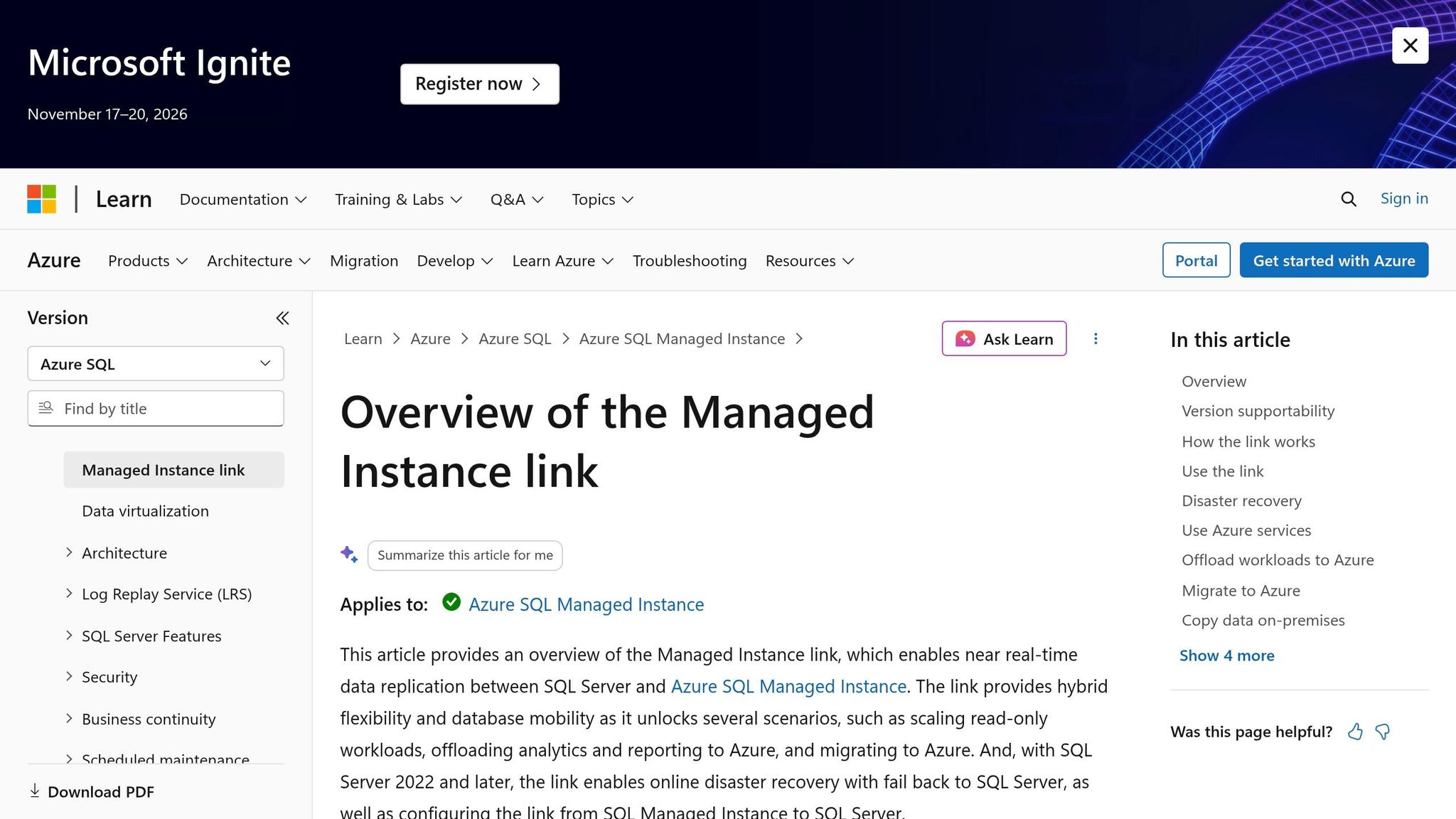
A third pattern sits between migration and sync: Managed Instance link.
Managed Instance link uses distributed availability groups to replicate data between SQL Server on-premises and Azure SQL Managed Instance. It supports bi-directional sync and is mainly built for migration and hybrid disaster recovery, including migration validation before cutover.
Don’t use it as a general replacement for transactional replication.
These differences are easiest to see side by side.
| Feature | Azure SQL Data Sync | CDC + Azure Data Factory | Managed Instance Link |
|---|---|---|---|
| Mechanism | Trigger-based change tracking | CDC / Watermarking | Distributed Availability Groups |
| Directionality | Bi-directional | Typically uni-directional | Bi-directional |
| Latency | Scheduled intervals | Minutes or hours | Near real-time |
| Best Use Case | Bi-directional hub-and-spoke sync | Reporting, batch/micro-batch ETL, consolidation | Migration and hybrid DR, not general-purpose sync |
4. Side-by-Side Comparison: Transactional Replication vs. Other Azure Sync Options
These options make different tradeoffs around speed, flexibility, and upkeep. The table below lines those tradeoffs up against the hybrid setups teams run into most often.
| Criteria | Transactional Replication | Azure SQL Data Sync | CDC / Azure Data Factory Patterns |
|---|---|---|---|
| Latency | Near real-time | Scheduled intervals | Batch or micro-batch |
| Consistency | Preserves transaction order | Eventual consistency | Usually eventual consistency |
| Topology | One-way hybrid distribution | Hub-and-spoke, can be bi-directional | Flexible, pipeline-driven |
| Source-system impact | Moderate | Trigger overhead on source and members | Depends on CDC and extract design |
| Maintenance burden | High setup and troubleshooting effort | Medium, plus retirement risk | Medium, but more controllable |
| Schema-change handling | Requires careful planning | Limited and sensitive | Handled through pipeline and deployment process |
| Best fit | Low-latency one-way hybrid sync | Bi-directional sync for legacy setups | Modern long-term batch or micro-batch integration |
Pros and cons by architecture dimension
The big dividing line is write direction.
Transactional replication works best for one-way feeds. Azure SQL Data Sync supports bi-directional hub-and-spoke sync, which sounds handy, but its retirement risk makes it more of a legacy pick than a go-forward one. CDC and ADF pipelines ask for more engineering work at the start. The upside is that metadata-driven designs make schema changes much easier to deal with over time.
There’s also the day-to-day ops side of this. Transactional replication has been around for a long time, but it can be touchy when schema changes enter the picture. CDC and ADF pipelines usually give you more room to grow once the first design is done.
Which option fits common hybrid scenarios
The best choice depends on the deployment pattern. In practice, most of these tradeoffs boil down to a few common scenarios.
| Hybrid Scenario | Best-Fit Option | Why |
|---|---|---|
| SQL Server to Azure near real-time feed | Transactional Replication | Low-latency one-way synchronization with transaction order preserved |
| Multi-writer branch synchronization | Azure SQL Data Sync (legacy only, with caution) | Supports bi-directional sync, but retirement risk limits new use |
| Cross-tenant consolidation into Azure | CDC / Azure Data Factory Patterns | Better for controlled batch and micro-batch ingestion across many sources |
| Modern data warehouse ingestion | CDC / Azure Data Factory Patterns | Designed for modern, multi-source ingestion patterns |
| Complex multi-source integration | CDC / Azure Data Factory Patterns | Flexible for pipelines that need to evolve over time |
Use transactional replication when you need a near-real-time SQL Server-to-Azure feed and the flow is one way. For new cloud-forward setups, CDC and Azure Data Factory patterns are usually the better long-range path. Azure SQL Data Sync makes the most sense in legacy bi-directional setups that are already running.
5. Decision Criteria and Conclusion
A simple selection framework for 2026
Pick based on five factors: latency, write direction, consistency, target platform, and how much day-to-day operational work your team can handle.
| Decision Factor | Transactional Replication | CDC + ADF/Synapse | Managed Instance Link | Azure SQL Data Sync |
|---|---|---|---|---|
| Latency tolerance | Low (near real-time) | Micro-batch to real-time | Near real-time | High (eventual) |
| Write direction | One-way | One-way, incremental loads | Bi-directional for SQL Server 2022 | Bi-directional |
| Target platform | Azure SQL DB / MI | Data Lake / Synapse / SQL DB | Azure SQL Managed Instance | Azure SQL DB |
| Support outlook | Mature | Strong | Strong | At risk |
Start with latency. That usually cuts the field down fast. Then look at write direction and target platform.
From there, the choice usually lands in one of three buckets. If your team needs a low-latency, one-way feed from SQL Server to Azure SQL with strict transactional consistency, transactional replication is still the right call. If you need near-real-time sync or disaster recovery and the target is Azure SQL Managed Instance, Managed Instance Link makes more sense. If you're building a new cloud-first setup and micro-batch latency is fine, CDC-based patterns with Azure Data Factory or Synapse are the better long-term path. Azure SQL Data Sync is not a good pick for anything new in 2026.
Transactional replication is the baseline in this comparison for one reason: it is the only option here built for ordered, near-real-time, one-way sync. That makes it a strong fit for low-latency SQL Server-to-Azure SQL movement. CDC-based pipelines and Managed Instance Link fit cases where you want more flexibility or where Azure SQL Managed Instance sits at the center of the design.
Key takeaways
- Transactional replication is the right tool for strict, low-latency, one-way hybrid sync, but it comes with real maintenance overhead.
- CDC and ADF patterns ask for more upfront engineering, then give you more flexibility and room to scale over time.
- Managed Instance Link covers the gap for near-real-time sync and disaster recovery without manual replication setup.
FAQs
How hard is transactional replication to maintain?
Transactional replication needs hands-on management. You have to watch replication agents and keep an eye on network traffic to maintain steady performance.
Because it supports near real-time data transfer for operational reporting, it also demands regular admin work to keep data in sync.
What should I use if I need write-back to SQL Server?
If you need write-back to SQL Server, transactional replication from on-prem to Azure SQL Database or Managed Instance is not the right fit.
It mainly sends changes to Azure for near-real-time operational reporting. It does not handle reliable two-way write-back.
For hybrid sync, where updates need to move back and forth in a dependable way, use Azure’s change-based method, such as CDC, to capture incremental changes and move them where they need to go.
How often do schema changes break these sync options?
Schema changes often break old sync methods and can force manual cleanup. With CDC, changes to a table’s structure usually mean you need to update the setup so the right data keeps flowing.
Batch processing has the same weak spot. A schema update can throw off jobs and interrupt the pipeline. Modern streaming platforms soften that blow with durable event storage and retry mechanisms.


