
Azure RBAC (Role-Based Access Control) is a system that helps you manage access to Azure resources by assigning specific permissions to users, groups, or applications. It ensures access is granted only as needed, reducing risks like permission creep and unauthorized access. Here's what you need to know:
- Key Components: Security principals (users, groups, service principals, managed identities), role definitions (permissions), and scopes (resource levels like subscriptions or groups).
- Best Practices: Limit subscription owners to three, assign roles at the smallest scope, and use groups for scalability.
- Azure Policy Integration: Azure Policy enforces compliance by focusing on resource properties, complementing RBAC's role in managing user actions.
- Auditing & Monitoring: Use Azure Monitor and logs to track changes, maintain compliance, and generate reports for audits.
- Automation: Leverage Infrastructure as Code (IaC) and tools like Microsoft Entra PIM for efficient governance.
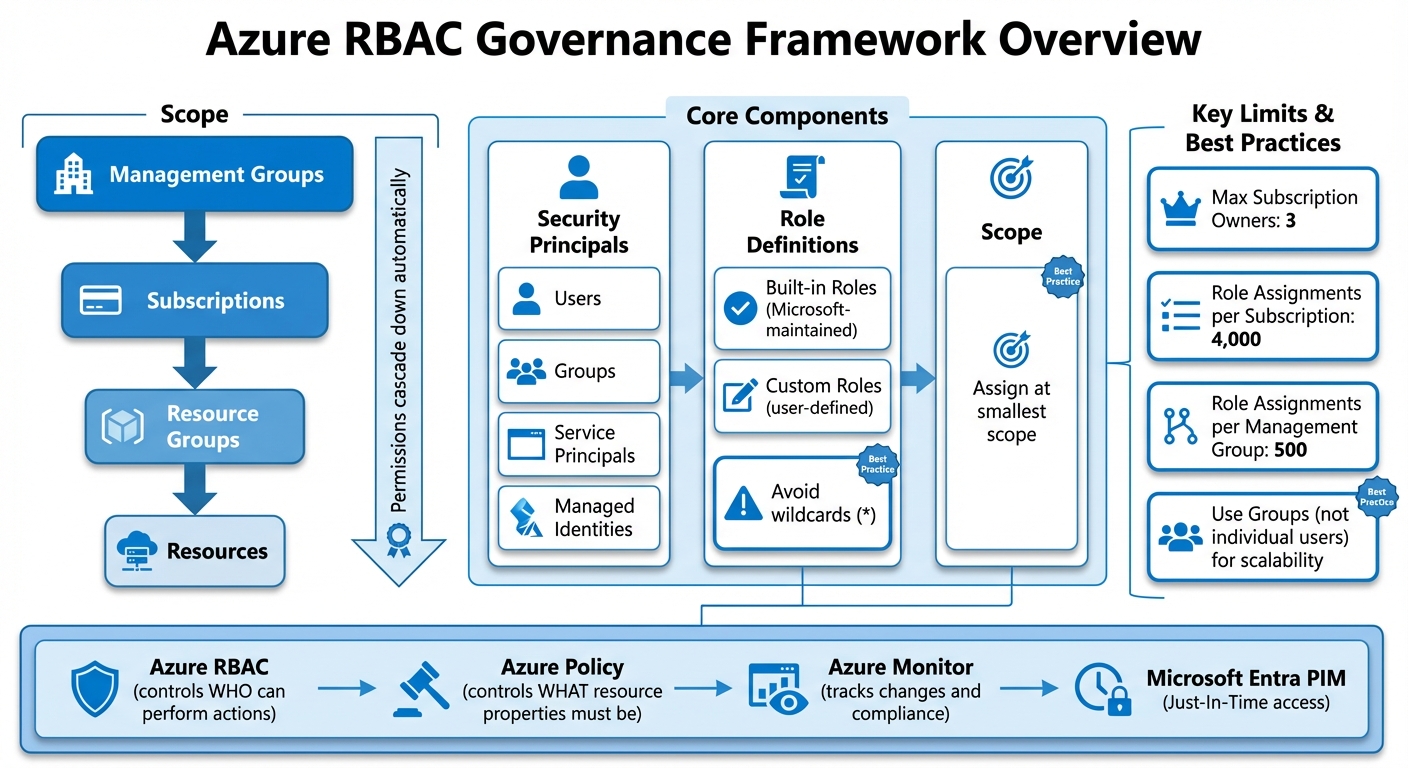
Azure RBAC Governance Framework: Core Components and Hierarchy
Build Effective Access Control with Azure RBAC | Azure Permission Assignment
sbb-itb-79ce429
Core Components of an Azure RBAC Governance Framework
Managing RBAC (Role-Based Access Control) effectively in Azure requires aligning security principals, role definitions, and scope to regulate access. When someone requests access, Azure Resource Manager evaluates role assignments, starting with any deny assignments and then aggregating permitted actions. Below, we’ll break down the key components that make up Azure RBAC governance and their specific roles.
Roles, Role Definitions, and Assignments
Azure comes with built-in roles tailored for common tasks, such as Virtual Machine Contributor, Storage Blob Data Reader, or SQL DB Contributor. These built-in roles should be your go-to choice since they are maintained by Microsoft and align with specific job functions. If built-in roles don’t meet your needs, you can create custom roles - just be cautious. Avoid using wildcards like *, as they can lead to unintended permissions, especially when Azure updates its permissions.
To minimize risks, Microsoft suggests limiting the number of subscription owners to three. This reduces the chances of a breach if an account is compromised. Additionally, keep in mind Azure’s role assignment limits: 4,000 per subscription and 500 per management group.
Management Groups and Subscription Structure
Azure organizes resources using a hierarchy of scopes: Management Groups (the highest level), Subscriptions, Resource Groups, and Resources (the most detailed level). Permissions assigned at any level automatically cascade down to all child resources. For instance, granting the Reader role at the subscription level means that permission applies to every resource group and resource within that subscription.
This inheritance model makes management groups especially useful for large-scale setups. Assign governance policies or role permissions at the management group level, and they’ll apply to all subscriptions within that group. However, it’s always best to assign roles at the smallest possible scope. For example, if someone only needs access to a specific storage account, assign their role at the resource level instead of at the subscription or resource group level.
Security Principals: Users, Groups, and Service Principals
Azure uses four types of security principals to manage access:
- Users: Individuals defined in Microsoft Entra ID.
- Groups: Collections of users where role assignments are automatically inherited by all members.
- Service principals: Security identities for applications or automated scripts to access resources.
- Managed identities: A type of service principal managed by Azure, which eliminates the need for manual credential management.
For scalability, it’s better to assign roles to groups rather than individual users. This approach keeps you well below the 4,000 role assignment limit per subscription and simplifies audits. For example, you can create groups like AI-Developer-Dev or Finance-Readers that clearly indicate the access scope and environment. If you encounter deleted principals showing as "Identity not found", remove these orphaned assignments to maintain security. Using groups not only streamlines audits but also lays the groundwork for integrating policies and automation in the future.
Integrating Azure Policy with RBAC
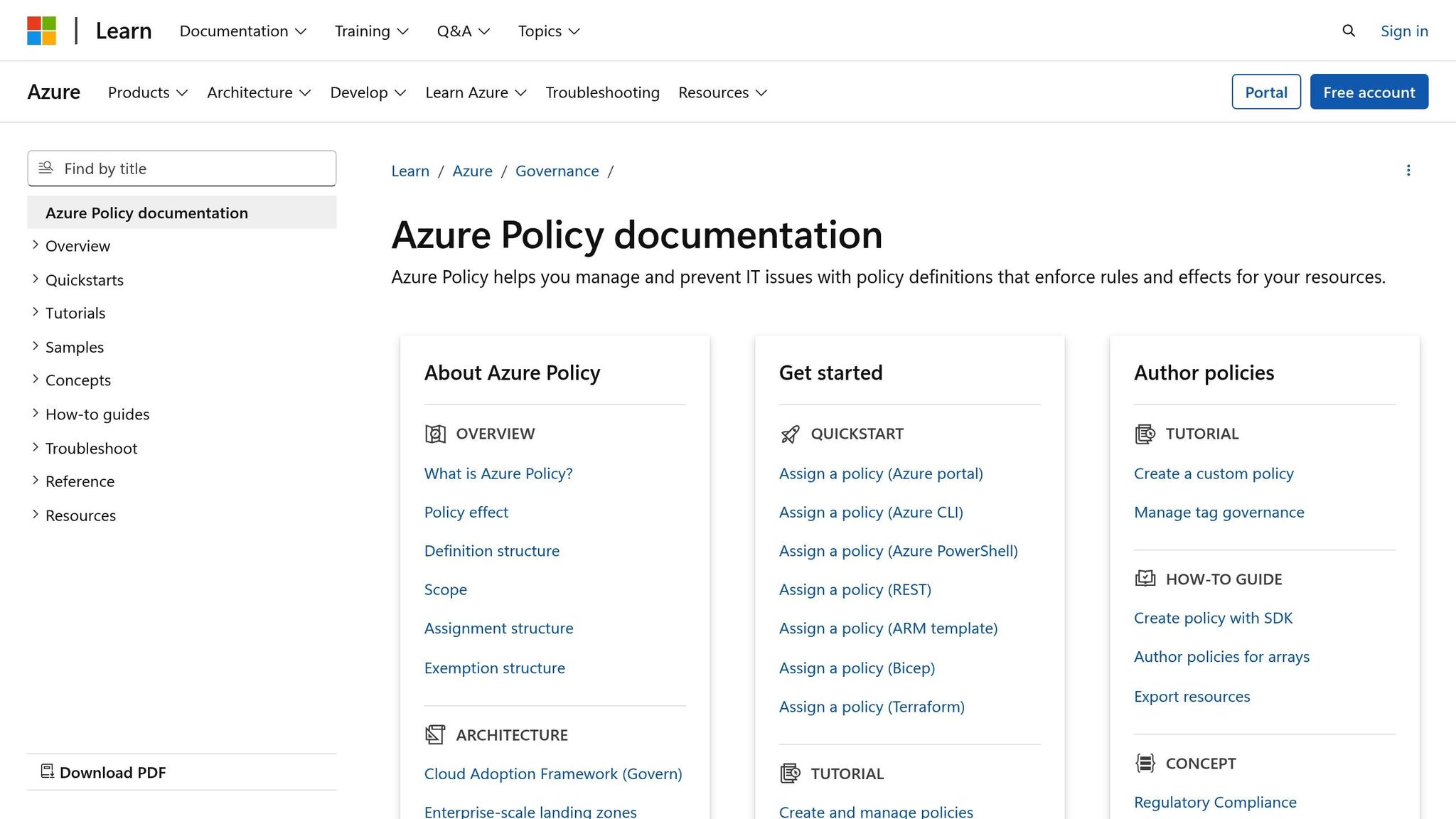
Azure Policy works hand-in-hand with RBAC to ensure resource compliance, no matter who performs the action. While RBAC determines who can perform specific tasks, Azure Policy focuses on what properties a resource must have - regardless of the user's permissions. This distinction is crucial because even if a user has the necessary RBAC permissions to create or modify a resource, Azure Policy can block the operation if it results in a non-compliant resource.
"Azure RBAC focuses on managing user actions at different scopes. If control of an action is required based on user information, then Azure RBAC is the correct tool to use. Even if an individual has access to perform an action, if the result is a non-compliant resource, Azure Policy still blocks the create or update." - Microsoft Learn
Azure Policy evaluates resources during creation, updates, or its regular 24-hour compliance checks. If a resource is found to be non-compliant, Policy can take various actions: it might deny the change, log it for auditing, modify the resource automatically (using the Modify effect), or deploy additional resources to ensure compliance (via DeployIfNotExists). Managing these policies requires specific RBAC roles, such as Resource Policy Contributor, while permissions for remediation tasks often require the User Access Administrator role. This integration ensures compliance rules are enforced automatically and consistently.
Using Azure Policy for Access Governance
Azure Policy extends governance capabilities beyond what RBAC can manage. For instance, you could assign a developer the Contributor role on a resource group, granting them broad permissions to create resources. However, Azure Policy can impose specific restrictions, such as limiting the VM sizes they can deploy or the regions they can use. This helps control costs and ensures resources are created in approved locations.
Start with audit effects like audit or auditIfNotExists to assess the impact of a policy without immediately enforcing it. This allows you to observe how the policy interacts with existing resources and automation workflows. Once you’re confident in its behavior, you can switch to enforcement effects such as deny or modify. To simplify management, group multiple policy definitions into an initiative (also called a policy set). This is especially useful when aiming to meet regulatory compliance requirements.
Policy and RBAC Integration Examples
Here are some practical examples of how Azure Policy and RBAC work together to achieve governance goals:
| Goal | Policy | Effect |
|---|---|---|
| Geo-compliance | Allowed Locations | Blocks resource creation in unauthorized regions |
| Cost Control | Allowed Virtual Machine SKUs | Limits deployment to specific, cost-efficient VM sizes |
| Taxonomy | Inherit a tag from resource group | Automatically applies tags to resources for better tracking |
| Security | Audit usage of custom RBAC roles | Flags overly permissive custom roles to ensure least privilege |
| Monitoring | Require diagnostic logs | Ensures resources send logs to a Log Analytics workspace |
For example, you could assign a policy that mandates all resources inherit a CostCenter tag from their parent resource group. Even if a user has full Contributor access through RBAC, the policy ensures the tag is applied automatically during resource creation, maintaining consistent tracking. Similarly, a policy that audits custom RBAC roles can help identify when overly permissive roles are created, addressing potential security risks while ensuring compliance with the principle of least privilege.
Auditing and Monitoring RBAC for Compliance
Keeping tabs on access events is a must for meeting compliance standards in regulated industries. Azure offers built-in tools to automatically track changes in Role-Based Access Control (RBAC) and user activities, but proper configuration is key to aligning with requirements like HIPAA or GDPR.
Using Azure Monitor and Logs for RBAC Auditing
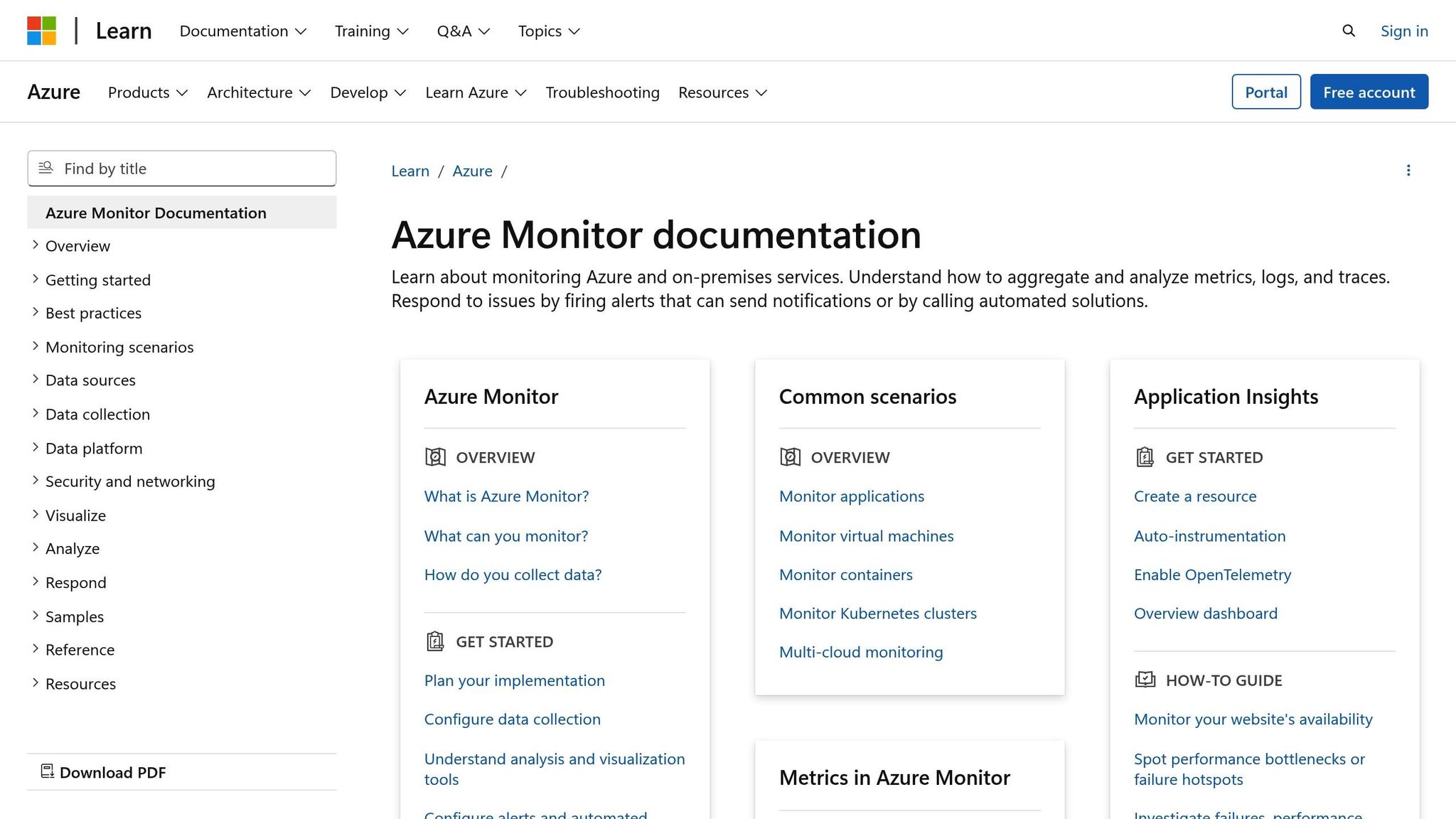
Azure Activity Logs capture every RBAC-related change, such as role assignments and updates. These logs include details like who made the change, the event's timestamp, and the scope of authorization. By default, Activity Logs are retained for 90 days. To extend this retention period up to 12 years, you can configure diagnostic settings to export logs to a Log Analytics workspace. This setup allows you to run custom queries using Kusto Query Language (KQL). For instance, to identify successful role assignments in the past hour, use the following query:
AzureActivity | where TimeGenerated > ago(1h) and OperationNameValue == "Microsoft.Authorization/roleAssignments/write" and ActivityStatusValue == "Success".
Centralizing log management like this lays the groundwork for creating compliance reports.
For privileged roles, enable Microsoft Entra Privileged Identity Management (PIM). This tool logs activation details, including who activated elevated permissions, along with timestamps and reasons. While PIM retains this data for 30 days by default, you can export it to a CSV file or Azure Storage for longer retention. Additionally, enable LAQueryLogs in Log Analytics to monitor queries involving sensitive data and verify whether specific RBAC conditions were applied.
Building Compliance Reports for Regulatory Requirements
Once you have detailed audit logs, creating compliance reports becomes much simpler and essential for regulatory audits. Auditors often require proof that access controls are consistently enforced and privileged actions are properly tracked. Focus on monitoring key operations like:
Microsoft.Authorization/roleAssignments/write(role granted)Microsoft.Authorization/roleAssignments/delete(role revoked)Microsoft.Authorization/roleDefinitions/write(custom role modified).
Set up log alerts in Azure Monitor to notify your security team in real time when these actions occur, allowing for immediate investigation of potential issues.
Azure Monitor Workbooks can help you create visual compliance reports. Pre-built templates like "Activity Log Insights" and "Access Package Activity" provide dashboards that highlight resource changes and identity governance activities across subscriptions. For custom reporting, you can use KQL queries to filter events by category and timeframe. For example, to review all entitlement management changes, run:
AuditLogs | where Category == "EntitlementManagement".
Export these query results to a CSV file or integrate them into your compliance documentation.
Since Microsoft Entra ID audit logs are only retained for 30 days by default, it's smart to configure diagnostic settings to route these logs to Log Analytics or Azure Storage. This ensures you maintain a complete audit trail for regulatory reviews, including access reviews, role activations, and policy enforcement. For organizations with strict retention requirements, storing logs in Azure Storage offers an affordable way to archive data for years while keeping it accessible for audits.
Best Practices and Automation for RBAC in Azure
Principle of Least Privilege and Role Optimization
When it comes to securing Azure environments, sticking to the principle of least privilege is key. This means granting only the access that’s absolutely necessary and doing so at the smallest possible scope - ideally at the resource or resource group level. This approach limits potential damage in case an account is compromised. For example, it's recommended to keep the number of subscription owners to a maximum of three to reduce the overall attack surface.
Using built-in job-function roles instead of privileged roles can simplify management and reduce risks. Pair this with assigning roles to Microsoft Entra ID groups for better scalability and easier auditing. If custom roles are needed, make sure to explicitly define permissions to avoid accidental privilege escalations.
Regular access reviews - whether monthly or quarterly - are another must. These reviews ensure permissions are updated as employees change roles or projects conclude. Additionally, Just-In-Time (JIT) access through Microsoft Entra PIM is a game-changer. It provides time-limited access that automatically expires, reducing the risk of prolonged exposure to sensitive resources. For delegated access management, Azure ABAC can help by enforcing conditions on which roles and principal types delegates can assign.
These steps not only strengthen security but also set the stage for automating RBAC processes.
Automating Role Assignments and Governance Workflows
To make RBAC governance more efficient, automation is the way forward. Start by using Infrastructure as Code (IaC) to manage role definitions and policy assignments. By storing these configurations in systems like GitHub or Azure DevOps and deploying them through CI/CD pipelines, you can maintain consistency and version control. When scripting role assignments, always use the Role ID rather than the role name. Role names can change - especially for Preview roles - but Role IDs remain constant.
Before rolling out new RBAC policies, test them in audit mode (enforcementMode disabled) within a development environment. This allows you to identify non-compliant resources without disrupting workflows. Once you're confident the policies are effective, enable enforcement and use automated remediation tasks for policies with deployIfNotExists or modify effects. This ensures resources are brought into compliance automatically.
A quick heads-up: Azure Blueprints will be deprecated on July 11, 2026. If you're using Blueprints, now’s the time to plan a migration to Deployment Stacks and Template Specs. Deployment Stacks offer an advantage by maintaining an active link between the definition and deployed resources, making it easier to track changes and maintain audit trails.
How AppStream Studio Accelerates RBAC Modernization

For mid-sized organizations in industries like healthcare or financial services, implementing these best practices can feel overwhelming. That’s where AppStream Studio comes in. They specialize in helping teams move from manual access management to fully automated, policy-driven RBAC governance.
AppStream’s experts focus on applying the principle of least privilege through automated access reviews, JIT provisioning using PIM, and policy-as-code workflows stored in source control. By leveraging Infrastructure as Code and integrating Azure Policy validation into CI/CD pipelines, they ensure RBAC configurations stay consistent across all environments - development, staging, and production.
This approach doesn’t just improve security; it also helps organizations meet compliance standards like HIPAA and GDPR while reducing costs and speeding up implementation. AppStream’s combination of Azure expertise and compliance knowledge makes them a trusted partner for modernizing RBAC frameworks.
Conclusion
Why RBAC Governance Matters for Azure Environments
A well-structured RBAC governance framework does more than just secure your Azure resources - it simplifies operations, helps maintain compliance, and grows with your organization. By enforcing principles like least privilege and duty segregation, you can significantly reduce the impact of potential breaches. Limiting the number of subscription owners and prioritizing group-based role assignments further minimizes risks.
On the compliance front, RBAC governance plays a crucial role in meeting standards such as ISO 27001, SOC 2, HIPAA, and FedRAMP. With Azure Policy, you can align RBAC controls to these frameworks, making audits faster and reporting more transparent. This proactive alignment means fewer surprises when it comes to regulatory inspections.
Operationally, managing access through predefined roles and groups instead of individual permissions reduces errors and simplifies processes as your organization scales. Plus, Azure RBAC data is replicated globally, ensuring consistent enforcement across all regions. Whether your team operates in New York or your resources are hosted in West Europe, your governance policies remain consistent and reliable.
These advantages highlight the importance of RBAC governance and lay the groundwork for practical next steps.
Next Steps for Implementing RBAC Governance
Start by auditing your existing RBAC setup. Identify and remove excessive permissions, eliminate inactive accounts, and evaluate current access levels. Once you have a clear picture, define your governance goals: What compliance requirements must you meet? What access control strategy fits your organization’s size and structure?
Use Azure Policy to enforce standards, automate compliance checks, and align RBAC with your resource configurations. Begin with audit policies to evaluate their impact before moving to enforcement. Established policies and automation tools can make this transition smoother. For organizations in regulated industries like healthcare and finance, AppStream Studio offers a fast-track solution. Their engineering teams specialize in delivering policy-as-code workflows, automated reviews, and just-in-time (JIT) provisioning with PIM. These services can help you implement a secure, auditable, and production-ready RBAC framework in just weeks.
FAQs
What’s the difference between Azure RBAC and Azure Policy for managing access and ensuring compliance?
Azure RBAC (Role-Based Access Control) is all about managing who gets access to Azure resources and what they’re allowed to do. It works by assigning roles to users, groups, or applications at different levels, such as subscriptions, resource groups, or even specific resources.
Azure Policy, however, focuses on maintaining compliance. It enforces organizational rules by checking resources against specific conditions. If something doesn’t meet the set standards, it can either block the action or flag it, helping organizations stay aligned with governance and regulatory requirements.
In short, RBAC handles permissions, while Azure Policy ensures compliance. Together, these tools create a strong governance framework for managing Azure environments effectively.
What are the best practices for assigning roles in Azure to enhance security?
To strengthen security in Azure, stick to the principle of least privilege when assigning roles. This approach ensures users only have the permissions necessary for their tasks, minimizing the risk of unintended or unauthorized actions. By avoiding overly broad access, you can significantly reduce the potential damage from security breaches.
Whenever possible, steer clear of assigning default roles at broad levels, such as subscriptions or resource groups. Instead, design custom roles that are tailored to specific job responsibilities, including only the permissions required for those tasks. It's also a good idea to regularly review and audit role assignments to ensure they remain relevant and aligned with your organization's security policies.
These steps help maintain a secure Azure environment while ensuring users can access the tools and resources they need to perform their jobs effectively.
How does automation improve RBAC governance in Azure?
Automation brings a new level of efficiency to RBAC (Role-Based Access Control) governance in Azure by simplifying role assignments, bolstering security, and ensuring compliance. With tools like Azure Policy, organizations can automatically enforce standards, such as assigning roles at the resource, resource group, or subscription level. This not only cuts down on manual work but also reduces the risk of human error.
On top of that, automation enables continuous monitoring and provides valuable insights into RBAC configurations. This makes it easier to spot and fix misconfigurations before they become bigger issues. By automating these tasks, organizations can maintain a secure and scalable Azure environment while boosting overall operational efficiency.


