
Azure Service Bus ensures secure communication between applications with built-in encryption options. Here's what you need to know:
- Encryption Types: Azure Service Bus offers two main encryption methods:
- Microsoft-Managed Keys: Automatically handled by Microsoft, requiring no setup.
- Customer-Managed Keys (BYOK): Gives full control over key management but is available only in the Premium tier.
- Double Encryption: Premium tier namespaces also support infrastructure encryption, adding a second layer of security.
- Setup Requirements:
- Use a Premium namespace for customer-managed keys.
- Store keys in Azure Key Vault with Soft Delete and Purge Protection enabled.
- Configure managed identities for secure access to Key Vault.
- Key Rotation and Management:
- Automate key rotation using versionless URIs in Azure Key Vault.
- Ensure redundancy by associating up to three keys per namespace.
- Monitor and test after key updates or revocations to maintain uninterrupted operations.
Choose the encryption method based on your organization's security and compliance needs. For stricter requirements, opt for customer-managed keys and consider enabling infrastructure encryption for added protection. Ensure proper key management practices to avoid disruptions.
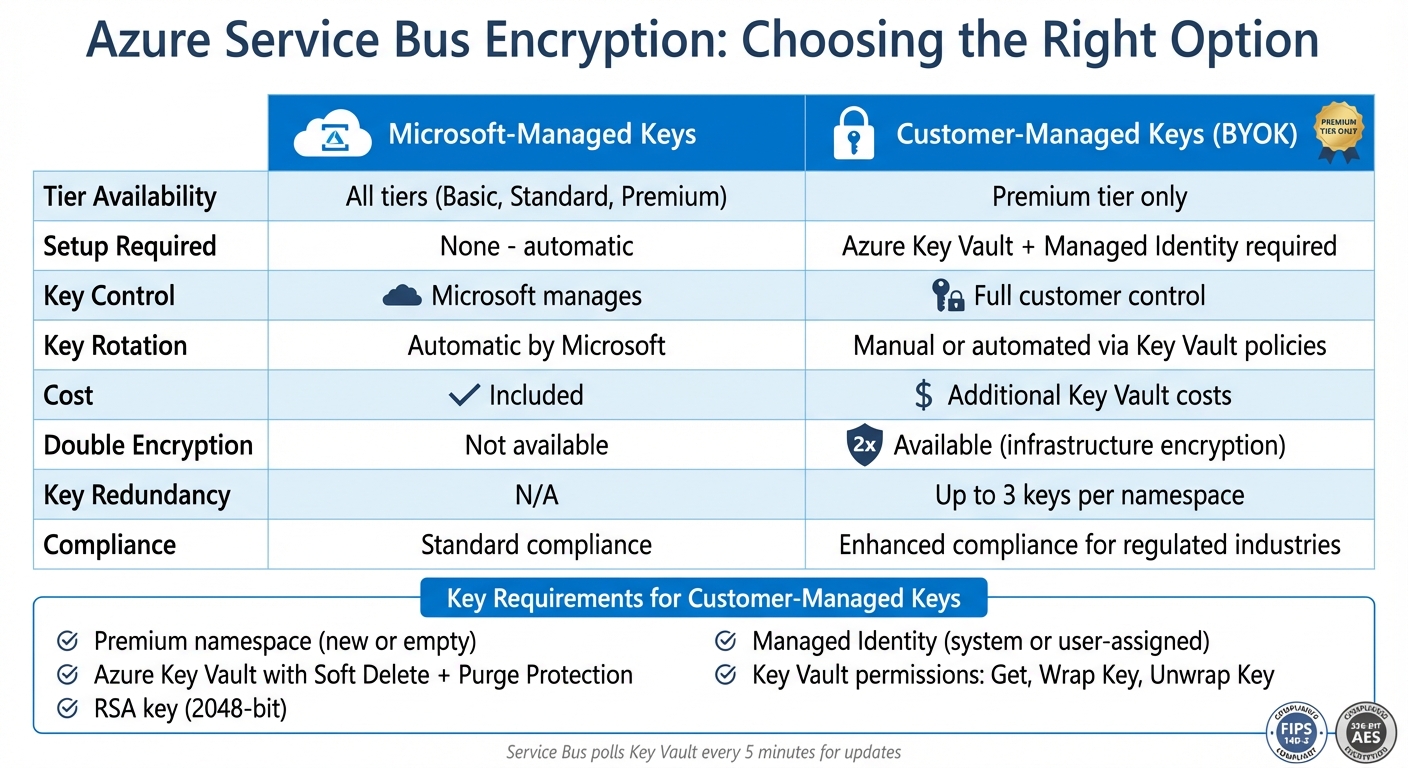
Azure Service Bus Encryption Options Comparison: Microsoft-Managed vs Customer-Managed Keys
Prerequisites for Configuring Encryption
Before setting up customer-managed key encryption, ensure all the necessary prerequisites are in place. Missing any of these steps will prevent the encryption configuration from working properly.
Premium Tier Namespace Requirement
Customer-managed key encryption is only available for Premium namespaces. To confirm your namespace tier, head to the "Overview" section in the Azure Portal and check the SKU field - it should display "Premium."
Keep in mind, encryption can only be enabled on new or empty namespaces. If your namespace already contains entities, you'll need to remove them or create a new Premium namespace to proceed.
Azure Key Vault Setup
Encryption keys must be stored in an Azure Key Vault with both Soft Delete and Purge Protection enabled. While Soft Delete is often enabled by default when creating a vault through the Azure Portal, Purge Protection typically requires manual activation. If you're using an existing Key Vault without Purge Protection, you can enable it using Azure CLI or PowerShell.
Once your Key Vault is ready, create or import an RSA key (commonly 2,048-bit). Afterward, assign the required permissions: Get, Wrap Key, and Unwrap Key. You can associate up to three keys with a namespace, ensuring redundancy. If one key becomes inaccessible or expires, the others will automatically take over.
Managed Identity Configuration
Azure Service Bus relies on managed identities to interact securely with your Key Vault. You can choose between two types of managed identities:
- System-assigned identity: Automatically linked to your namespace and deleted when the namespace is removed. Ideal for simpler setups.
- User-assigned identity: A separate resource that can be shared across multiple namespaces, making it a better choice for managing complex setups with shared Key Vault access.
After enabling the managed identity on your Service Bus namespace, add it to your Key Vault's access policies using the identity's Principal ID. This ensures the Service Bus can poll the Key Vault every 5 minutes for updates, such as key rotations or permission changes.
Configuring Customer-Managed Key Encryption
Once you've completed the prerequisites, you can enable customer-managed key encryption using either the Azure Portal or ARM templates.
Enabling Encryption in the Azure Portal
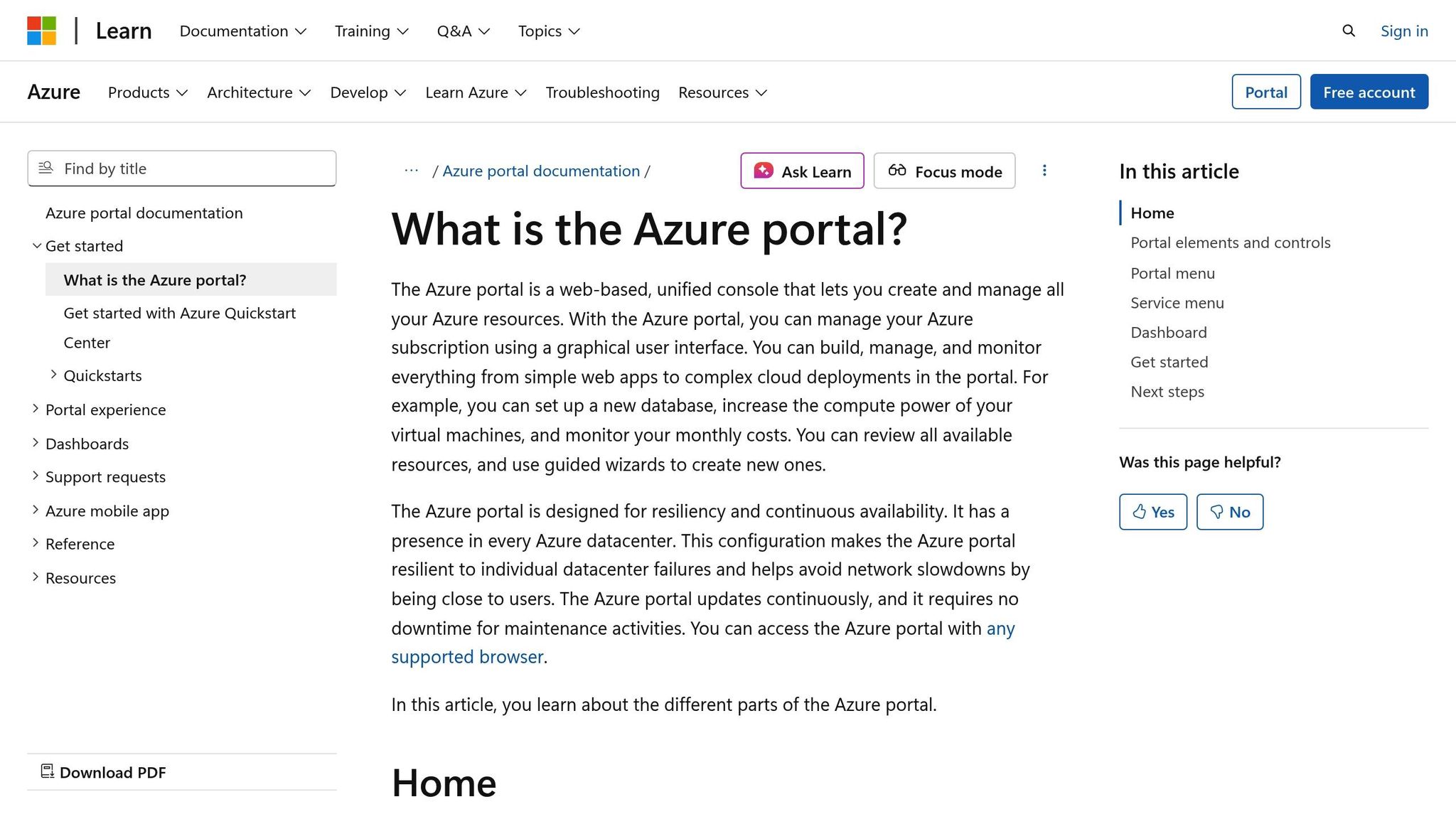
To get started, open your Premium namespace in the Azure Portal and navigate to Encryption under the Settings menu. Change the encryption setting from Microsoft-managed key to Customer-managed key. Next, select your Key Vault and the specific key you created earlier. After this setup, the Service Bus instance will poll your encryption keys every 5 minutes to check for updates, such as key rotations or revocations.
Using ARM Templates for Automation
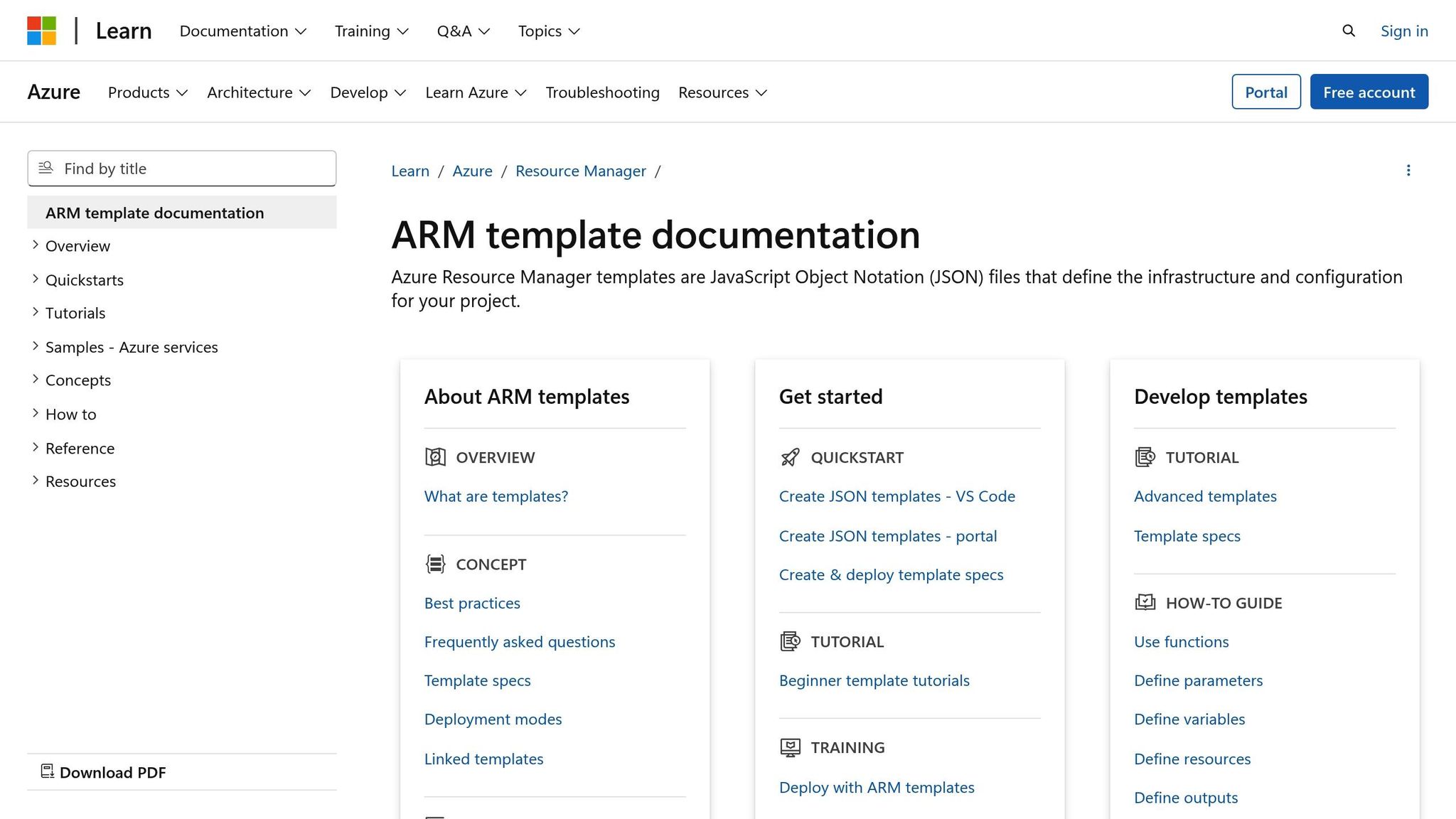
If you prefer automation, ARM templates streamline the process. In the Microsoft.ServiceBus/namespaces resource, set the keySource to Microsoft.KeyVault. Then, define the keyVaultProperties with your keyName and keyVaultUri (e.g., https://<vault-name>.vault.azure.net). To enable double encryption, include "requireInfrastructureEncryption": true within the encryption block.
For the key URI, make sure to omit the key version. This allows Service Bus to automatically detect and use the latest version during key rotations. You can configure up to three keys in the keyVaultProperties array for redundancy - this ensures that if one key expires or becomes inaccessible, the others will seamlessly take over. This setup also prepares your system for additional security layers like infrastructure encryption.
Microsoft-Managed vs. Customer-Managed Keys
When deciding between encryption options, it's important to weigh their differences. Microsoft-managed keys are easy to use, requiring no additional setup and working across all tiers. On the other hand, customer-managed keys are exclusive to the Premium tier and require Azure Key Vault integration along with managed identity configuration. Keep in mind that customer-managed keys also come with extra Key Vault costs, which depend on the number of keys and the operations performed.
Implementing Infrastructure Encryption
Building on the concept of customer-managed encryption, Azure Service Bus Premium offers an additional layer of security known as infrastructure encryption, often referred to as double encryption.
What is Infrastructure Encryption?
Infrastructure encryption, or double encryption, enhances data security by applying two separate encryption layers to data at rest. The first layer is handled at the service level, utilizing either Microsoft-managed keys or customer-managed keys. The second layer is managed at the infrastructure level using a distinct Microsoft-managed key.
"When infrastructure encryption is enabled, data in the Azure Service Bus is encrypted twice, once at the service level and once at the infrastructure level, using two different encryption algorithms and two different keys." - Microsoft Learn
This dual-layer approach adds a safeguard: even if one encryption layer is compromised, the second layer remains intact. Both layers use 256-bit AES encryption and comply with FIPS 140-2 standards. For industries like finance or healthcare that operate under strict regulations, this extra security measure can help meet compliance requirements.
Configuring Infrastructure Encryption
Infrastructure encryption must be activated when switching from Microsoft-managed keys to customer-managed keys. It cannot be added later to an existing namespace with queues or topics, so the namespace must be new or empty to proceed. The setup process is similar to configuring customer-managed keys, with an additional step to validate the second encryption layer.
Here’s how to enable infrastructure encryption:
- Using the Azure Portal: Go to the Encryption settings of your Premium namespace. When setting up customer-managed keys, enable the infrastructure encryption option.
-
With ARM Templates: Add
"requireInfrastructureEncryption": trueto the encryption block in your template. -
Via Azure CLI: Use the following command to enable infrastructure encryption:
az servicebus namespace encryption add --namespace-name <YourNamespace> --resource-group <YourResourceGroup> --encryption-config key-name=<YourKeyName> key-vault-uri=<YourKeyVaultURI> --infra-encryption true
This additional encryption layer strengthens the security of your event-driven architecture, ensuring that your data remains protected and compliant with stringent industry standards.
sbb-itb-79ce429
Managing Key Rotation and Revocation
Keeping encryption keys up-to-date and managing their access is essential for maintaining secure and uninterrupted operations. Azure Key Vault offers tools to simplify key rotation and revocation, but it’s crucial to understand how these actions impact your Azure Service Bus namespace to avoid potential downtime.
Rotating Keys in Azure Key Vault
Key rotation involves replacing an existing encryption key with a new version while keeping the same key identifier. According to best practices, keys should be rotated at least every two years. Azure Key Vault allows you to automate this process by setting up a rotation policy that defines the rotation frequency, such as every 18 months, with a minimum interval of seven days from creation or expiration.
To ensure seamless key rotation, configure your Service Bus namespace to use a versionless key URI (e.g., https://myvault.vault.azure.net/keys/mykey). This enables "zero-touch" rotation, where the Service Bus automatically detects and uses the latest key version during its regular polling cycle.
You can set rotation policies through various methods, including the Azure Portal, CLI, PowerShell, or ARM templates. Assign the Key Vault Crypto Officer role using Role-Based Access Control (RBAC) instead of legacy access policies. Additionally, configure near-expiry notifications to trigger alerts via Event Grid.
Azure Service Bus allows up to three keys per namespace, providing redundancy. If one key becomes inaccessible or expires, the service automatically switches to an alternate key to maintain encryption operations. The Service Bus polls for key updates every five minutes, so after rotating a key, wait at least five minutes before testing to ensure the new key version has been detected.
Revoking and Restoring Key Access
Revoking a key stops operations temporarily while preserving stored data. This can be done by modifying the Key Vault access policy, removing RBAC permissions, disabling the key, or deleting it.
"As long as at least one key is available, queues and topics are accessible. If all listed keys are inaccessible when it polls, all queues and topics become unavailable." - Microsoft
To avoid disruptions, always have at least two keys configured in the Key Vault before revoking a primary key. Ensure the managed identity associated with your namespace has get, wrapKey, and unwrapKey permissions for the secondary key. If all keys become inaccessible during a polling cycle, the namespace’s encryption status changes to "Revoked", halting operations until access is restored.
If access is restored or a deleted key is recovered, the Service Bus will automatically detect the key during the next five-minute poll and resume normal operations. Features like Soft Delete and Purge Protection help prevent permanent data loss from accidental deletions, with retention periods configurable between 7 and 90 days.
Testing Encrypted Data Transmission
After rotating or revoking keys, it’s essential to verify that your Service Bus is functioning correctly. Wait at least five minutes for the Service Bus cache to refresh before running tests.
Perform a send/receive test to ensure messages flow as expected. If the key rotation was successful, operations should continue normally. If revocation was successful, the client will encounter errors indicating the service is inoperable. Use monitoring tools to track metrics like "Server Errors", "Active Message Count", and "Throttling Events" to identify any issues related to key access. For deeper analysis, use Kusto Query Language (KQL) in Log Analytics to review operation logs for authentication or authorization failures after a key change.
Monitor Dead Letter Queues (DLQs) for any accumulation of messages, which could signal encryption synchronization issues. If you’ve enabled infrastructure encryption (double encryption), verify that both service-level and infrastructure-level keys are operating correctly, as this approach encrypts data twice using separate algorithms.
| Testing Phase | Action | Expected Result (Rotation) | Expected Result (Revocation) |
|---|---|---|---|
| Data Plane | Send/Receive test message | Success after 5-minute poll | Failure (Service Inoperable) |
| Monitoring | Check Azure Monitor Metrics | Normal "Active Message" count | Spike in "Server Errors" |
| Audit | Review Log Analytics (KQL) | Successful "Get" key operations | Authorization/Key Access failures |
| Resilience | Check Dead Letter Queue | No new encryption-related DLQs | N/A (Service is unreachable) |
Conclusion
To secure your Azure Service Bus, selecting the right tier is crucial. The Premium tier stands out for its advanced security features, including customer-managed keys and infrastructure encryption. On the other hand, the Standard tier provides Microsoft-managed encryption, which may suffice for less stringent security needs. Pairing encryption at rest with TLS 1.2 or 1.3 for data in transit ensures your data remains protected both at rest and while being transmitted.
For enhanced control, consider adopting customer-managed keys. These keys offer improved operational oversight, allowing for simplified key rotation and revocation. They also provide the ability to disable a namespace if a security breach occurs - an essential feature for maintaining compliance and operational reliability.
Adding double encryption introduces an extra layer of defense. By using a separate algorithm and key, this approach minimizes risks from single-layer breaches.
Strengthen your key management practices by enabling Soft Delete and Purge Protection in Azure Key Vault. Automate key rotation and establish access policies tailored to recovery scenarios.
Lastly, align your encryption strategy with governance measures for long-term security. Use Azure Policy to enforce compliance by blocking namespaces that fail to meet minimum TLS standards. Additionally, with the retirement of the SBMP protocol scheduled for September 30, 2026, transitioning to AMQP is essential to future-proof your setup.
FAQs
Why should I use customer-managed keys instead of Microsoft-managed keys for Azure Service Bus encryption?
Using customer-managed keys puts you in charge of the entire encryption key lifecycle. With tools like Azure Key Vault, you can handle key creation, rotation, disabling, access revocation, and even auditing how the keys are used. This approach enhances your ability to oversee and secure the encryption keys safeguarding your Service Bus data at rest.
By taking control of your keys, you can tailor encryption practices to meet your organization's specific compliance and security standards. This offers a level of customization and control that goes beyond what Microsoft-managed keys provide.
How can I rotate encryption keys in Azure Service Bus without causing downtime?
To keep encryption keys up to date in Azure Service Bus without downtime, you can use a customer-managed key (BYOK) stored in Azure Key Vault and enable its auto-rotation feature. This setup ensures that Service Bus automatically references the latest key version, maintaining smooth operations.
Begin by creating a Premium-tier namespace and linking it to a key stored in Azure Key Vault. In the Key Vault, configure an automatic key rotation policy - say, every 90 days. Once the key rotates, Azure Service Bus will seamlessly switch to the updated version without requiring manual intervention.
For those using Shared Access Signature (SAS) keys, rotate them one at a time. Update your applications with the new key while keeping the other key active to avoid disruptions. Always test the entire rotation process in a staging environment before rolling it out in production to ensure everything works as expected.
How do I enable double encryption in Azure Service Bus Premium?
To enable double encryption in Azure Service Bus Premium, the first step is to create a customer-managed key in either Azure Key Vault or Managed HSM. After setting up your key, configure your Azure Service Bus Premium namespace - whether it's new or currently empty - to use this key as a Bring Your Own Key (BYOK). This setup ensures that the Microsoft-managed storage encryption key is further encrypted using your own key.
This configuration is a one-time process exclusive to the Premium tier, adding an extra layer of protection for your sensitive data.


